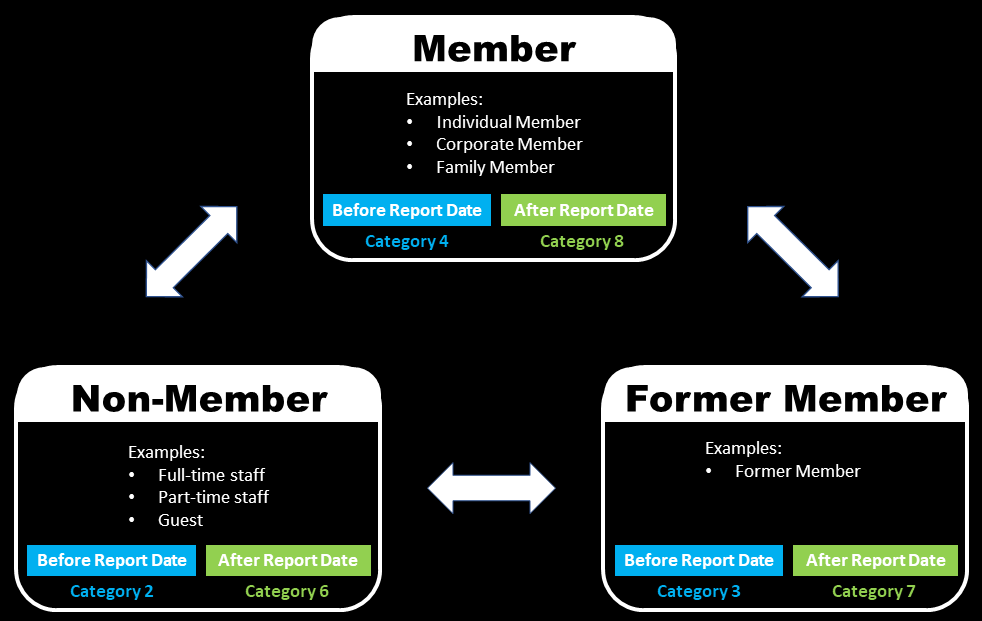
There are several categories of Persons within the CReME™ database. THe purpose of this document is to explain them. If you would like to see how this is implemented, please refer to Movement Case Study 20031.
Three types of categories will be explained:
The entire database of Persons in CReME™ consists of 3 main categories which are Member, Non-Member and Former Member. These main categories are fixed and cannot be renamed.
Within each category, there are user-defined sub-categories. For example, under the main category of Member, users can define their own sub-categories such as Individual Member, Corporate Member, Members from Company XYZ etc. Examples of sub-categories can be found in the graphic above.
When a Person is first registered, he/she is categorised into a default sub-category. This sub-category can be any of the user-defined sub-categories but it usually makes sense to choose a sub-category within the Member main category since this is the most commonly used one.
The arrows in the diagram above show it is possible for a Person in any category to change to any other category. This is called a Person Movement.
Now that we have discussed the concepts behind Person Movements, now let's take a look at how this is reported. To do this, we now turn our attention to Reporting Categories.
Person Movement ReportWhen reporting Person Movements, CReME™ differentiates between those movements that took place before the Report Date and those that took place after the Report Date.
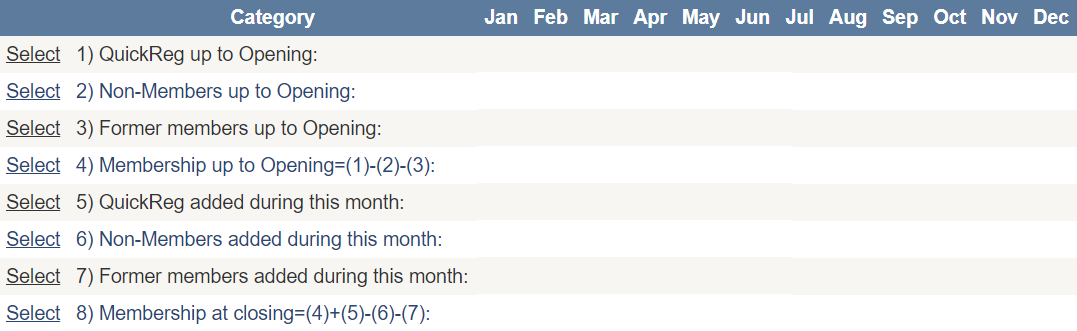
The table reports the Person Movement statistics by month. We will use this table to explain the various Report Categories. Categories (1) to (4) reflect Person Movement activities of previous months (before Report Date).
| Category | Description |
|---|---|
| 1 | Total number of all records in CReME™ at the beginning of each month |
| 2 | Records in Category (1) that have been assigned to Non-Members such as staff |
| 3 | Records in Category (1) of Persons who have terminated their membership to become Former Members before Report Date. |
| 4 | The number of Members which is obtained by subtracting Category (2) and (3) from (1) |
Now that we have explained Person Movement events that took place prior to Report Date, we will focus on those that take place during the reporting interval (during the month).
| Category | Description |
|---|---|
| 5 | Number of QuickReg events that took place during the month |
| 6 | Records in Category (6) that have been assigned to Non-Members such as staff |
| 7 | Records in Category (1) of Persons who have terminated their membership to become Former Members during the month |
| 8 | The number of Members which is obtained by adding Category (4) & (5) and subtracting (6) & (7) from that. |