This document guides the user on how to troubleshoot when the touchscreen displays "no signal" or when the touch feature does not work.
A. Error DescriptionThere are two possible errors:
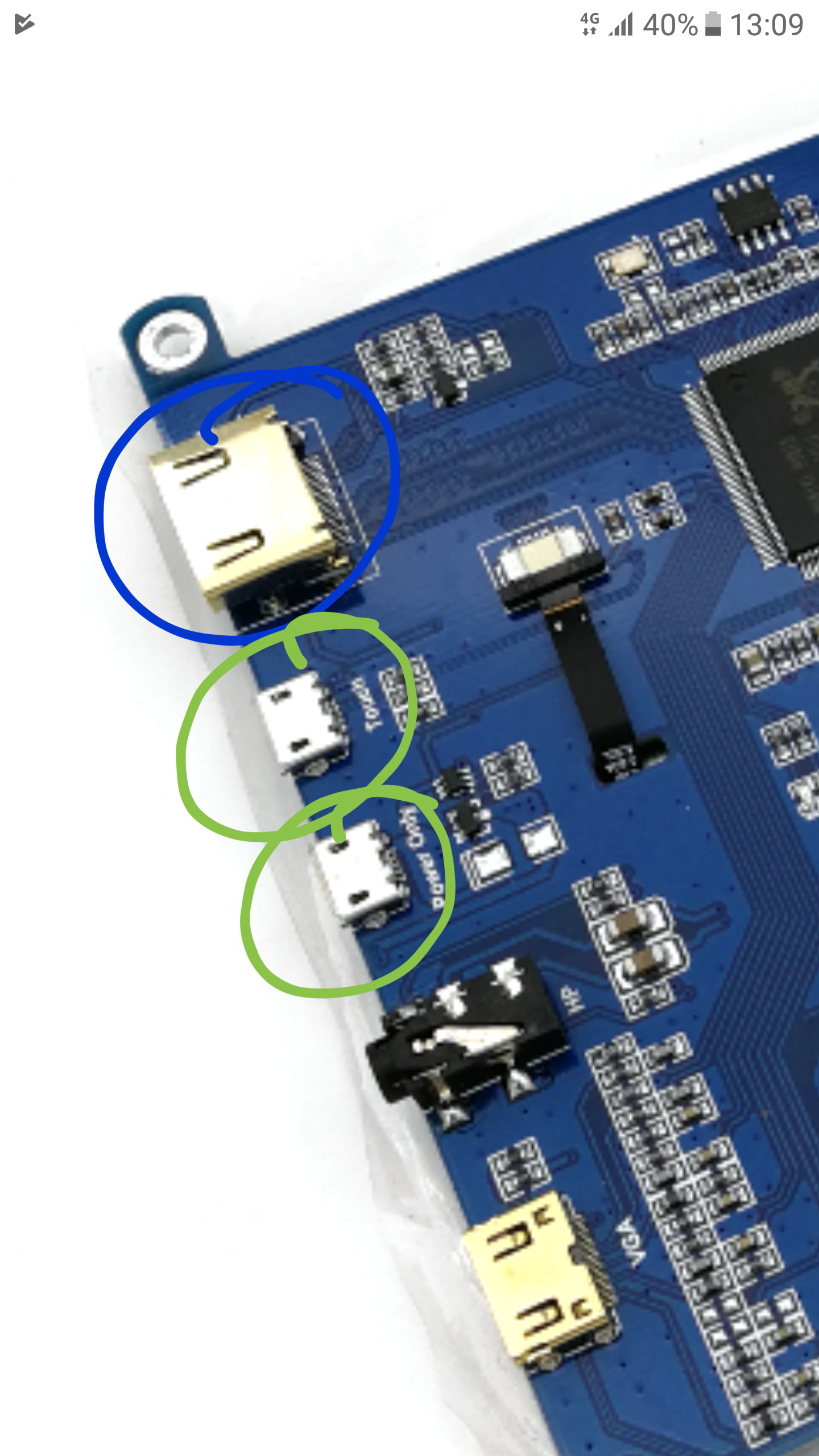
A touchscreen malfunction is usually due to a weak connection of the cables connecting the computer to the display. The image below shows three connectors:
If the display shows "no signal", please check the HDMI connection/cable is working properly. It could be the plug is dusty or oxidised (something like rust). Plugging and unplugging it a few times can help to overcome this. If doing this a few times does not work, try a different cable.
If the display shows the correct image but it does not respond to touch, this could be a problem with the connector labled "Touch". As mentioned above, try unplugging/replugging a few times or use a differnet cable.
The third connector is meant for supplying power to the display. In some cases, the display can work without it.