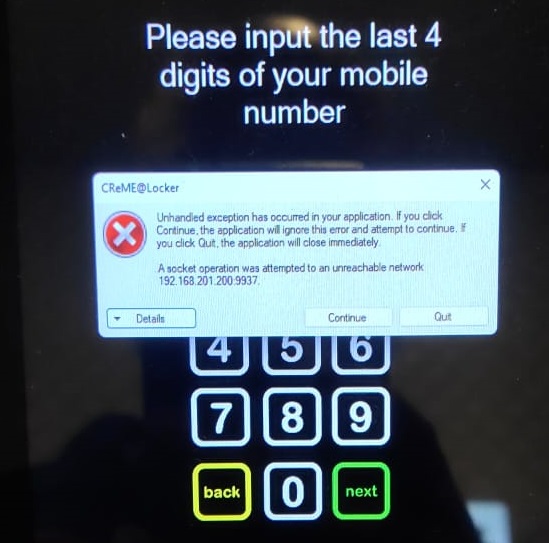
This document guides the user on how to troubleshoot a common network error which is "network unreachable".
A. Error DescriptionA "unreachable network" error appears on screen.
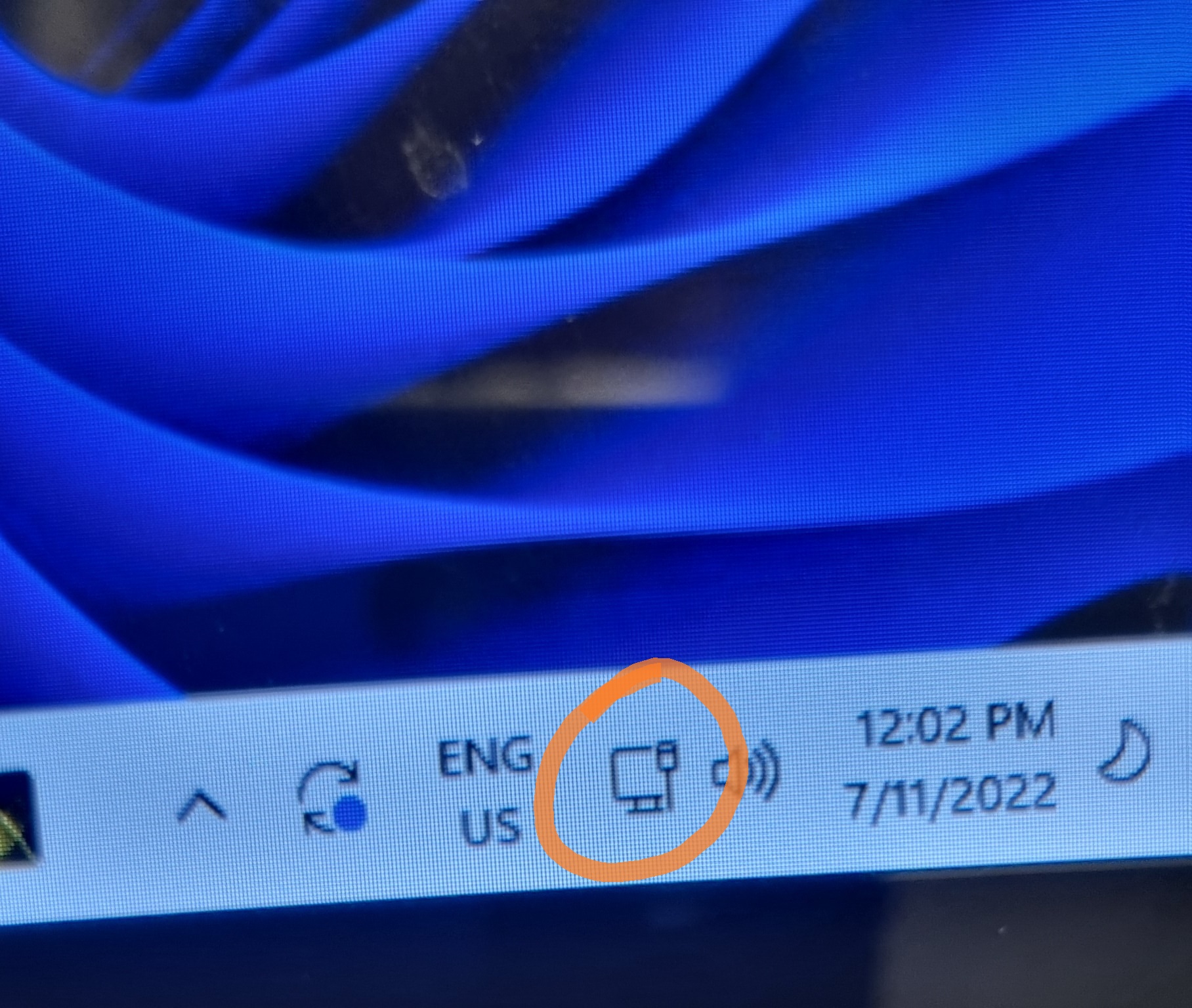
Could be due to a problem with the network connection. Check the network connectivity. The image below shows the icons displayed at the bottom of the display. The network connectivity icon is circled in orange showing the network is ok.
The image below shows the network connectivity icon circled in orange with status not ok (network failure).
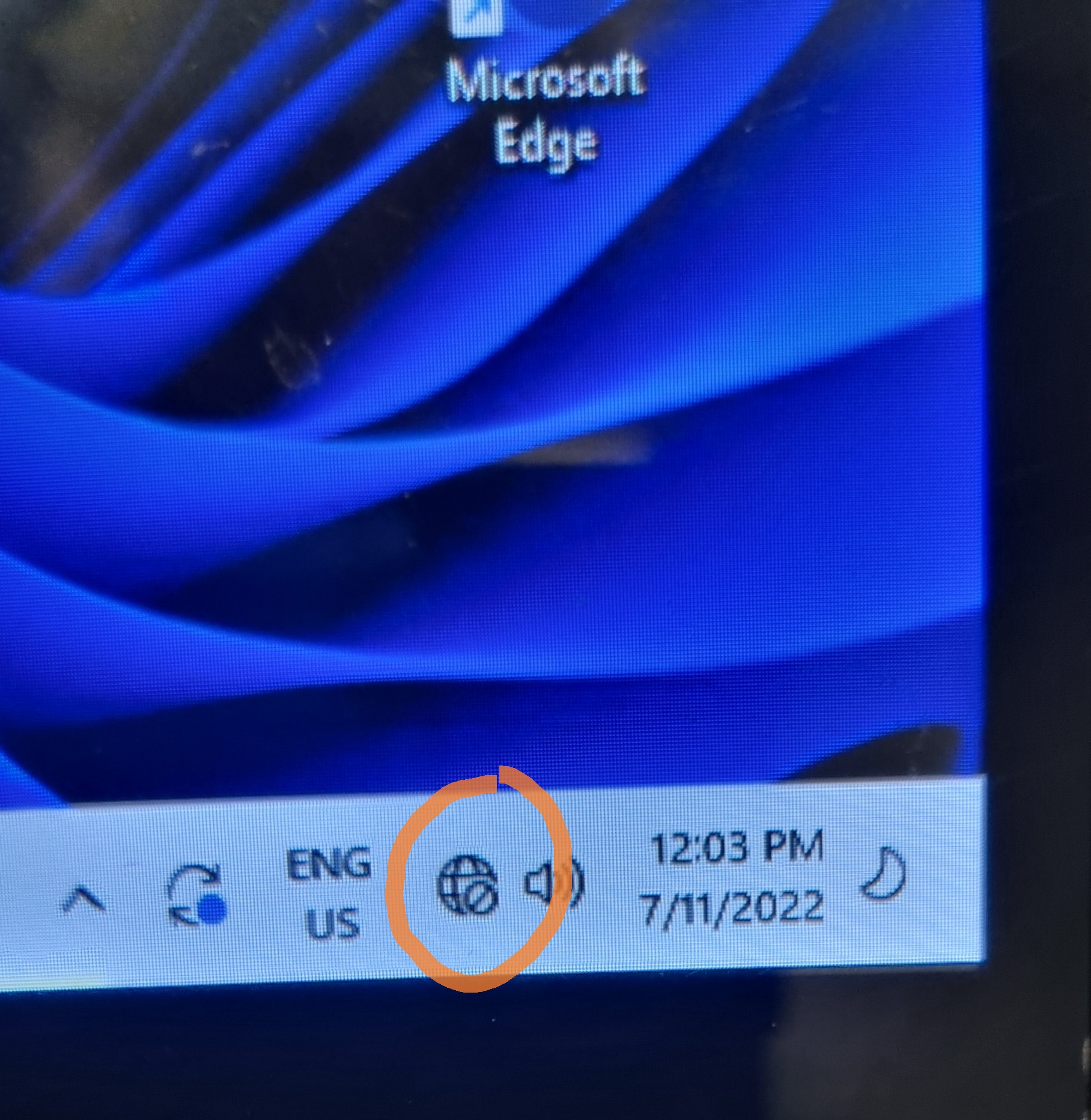
If the icon indicates the network status is not ok, check the network cable on the PC. The video below shows the network cable connected to the PC with two lights - one is always on and the other is blinking.
If the lights are not illuminated (they are no lights), try unplugging the cable and plugging it in again in case it is loose.
Cables that have been in use for a few years may collect dust or develop oxidation (something like rust) in the metal contacts between the cable and the computer. Try unplugging and replugging the cabel a few times to remove this.
If the above steps do not work try using a different cable.